Mouse and keyboard: cutting upper limb risk for free
· 5 min read
The short answer
Bring the mouse in beside the keyboard so your elbow stays by your side, flatten the keyboard rather than propping it up, and keep wrists straight and floating while typing. These three changes cost nothing and resolve most upper limb findings.
Work-related upper limb disorders are among the most common outcomes of poor screen setups, and they are also among the most preventable. Two adjustments carry most of the benefit, and neither costs anything.
Move the mouse in
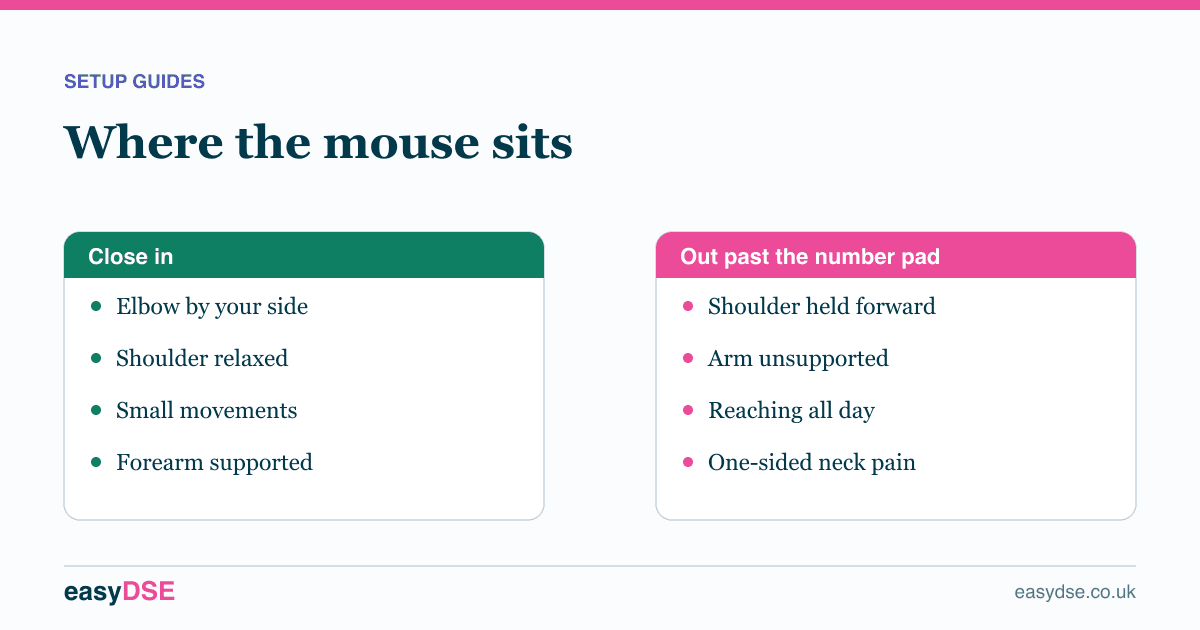
This is the big one. If you have to reach forward or out to the side for the mouse, your shoulder is held abducted and forward for hours at a time. That sustained static load is the most common cause of one-sided shoulder and neck pain in office workers.
Bring it alongside the keyboard, close enough that your elbow stays by your side and your forearm rests on the desk while you use it.
Flatten the keyboard
Most people flip the little feet up because it feels more natural. It is not. Raising the back of the keyboard tilts it towards you and puts your wrists into extension, which is exactly the position that raises pressure in the carpal tunnel.
Lay it flat. If your wrists still bend upwards, your chair is too low relative to the desk.
Float, do not anchor
Wrist rests are for resting between bursts of typing, not for leaning on while you type. Anchoring the wrist and typing from the fingers forces the hand to deviate sideways to reach keys. Keep the wrists straight and let the whole hand move.
Grip and force
Two habits quietly add load. Hitting the keys harder than necessary raises tendon load well beyond what the task needs. Gripping the mouse tightly does the same for the forearm. Both usually ease once someone notices they are doing it.
When to change the device
Equipment is the second answer, not the first. Move the mouse in and flatten the keyboard before spending anything. If discomfort persists after that:
- Vertical mouse
- Holds the forearm in a neutral handshake position, taking the twist out of the wrist. Worth trying where forearm or wrist pain is the complaint.
- Mouse sizing
- Often overlooked. A mouse too small for the hand forces a pinched grip. Several manufacturers now sell the same model in three sizes.
- Split or ergonomic keyboard
- Lets each hand sit at shoulder width with the wrists straight. The serious option where symptoms are established.
- Trackball or rollerbar
- Removes arm movement entirely. Useful where desk space is tight or shoulder symptoms dominate.
Cut the mouse time
Learning half a dozen keyboard shortcuts for the things you do most removes a meaningful share of mouse movements from the day. It is the only ergonomic intervention that also makes you faster.
Frequently asked questions
Does a vertical mouse actually help?
It holds the forearm in a neutral position rather than rotated, which reduces strain for many people with wrist or forearm symptoms. It is worth trying after you have moved the mouse closer, not instead.
Should I use a wrist rest?
Use it to rest on between bursts of typing, not to lean on while typing. Anchoring the wrist forces the hand to deviate sideways to reach keys.
Should keyboard feet be up or down?
Down. Raising the back of the keyboard puts the wrists into extension, which increases pressure in the carpal tunnel.
Assess your own workstation, free
Eight minutes online, with a report you can act on.
Read next
This article is general information about UK health and safety law, not legal advice. Check the current position on the HSE website and take advice where the stakes justify it.